
Your email stays unchanged.
Nothing is rewritten, summarized, or sent anywhere. Chameleon reads what Gmail already shows you.
For cafes, trains, and open offices
Chameleon is a privacy screen for Gmail - plus a clean reader mode, bigger text, and a quieter inbox. It all runs in your browser.
Free · No account · No tracking
Selected for Podim 2026 · Top 150 startups in CEE
Also: the eye in the corner, or Shift+P.
Readable for you, scrambled for everyone else - a click or Shift + P toggles it.
The problem
Viewing modes
Scrambles your inbox text so a glance reveals nothing. The eye button or Shift+P toggles the whole view back to readable; hover a single row - or hold to scan within an open message - to peek at just one. A visual shield for public spaces, not encryption.
Your settings survive page reloads and tab switches - nothing to re-enable.
Use when: You're on public transport, at a cafe, or in an open office.
Quick heads up before Thursday. Revenue is tracking ahead of plan and we'll walk the board through the numbers in the morning.
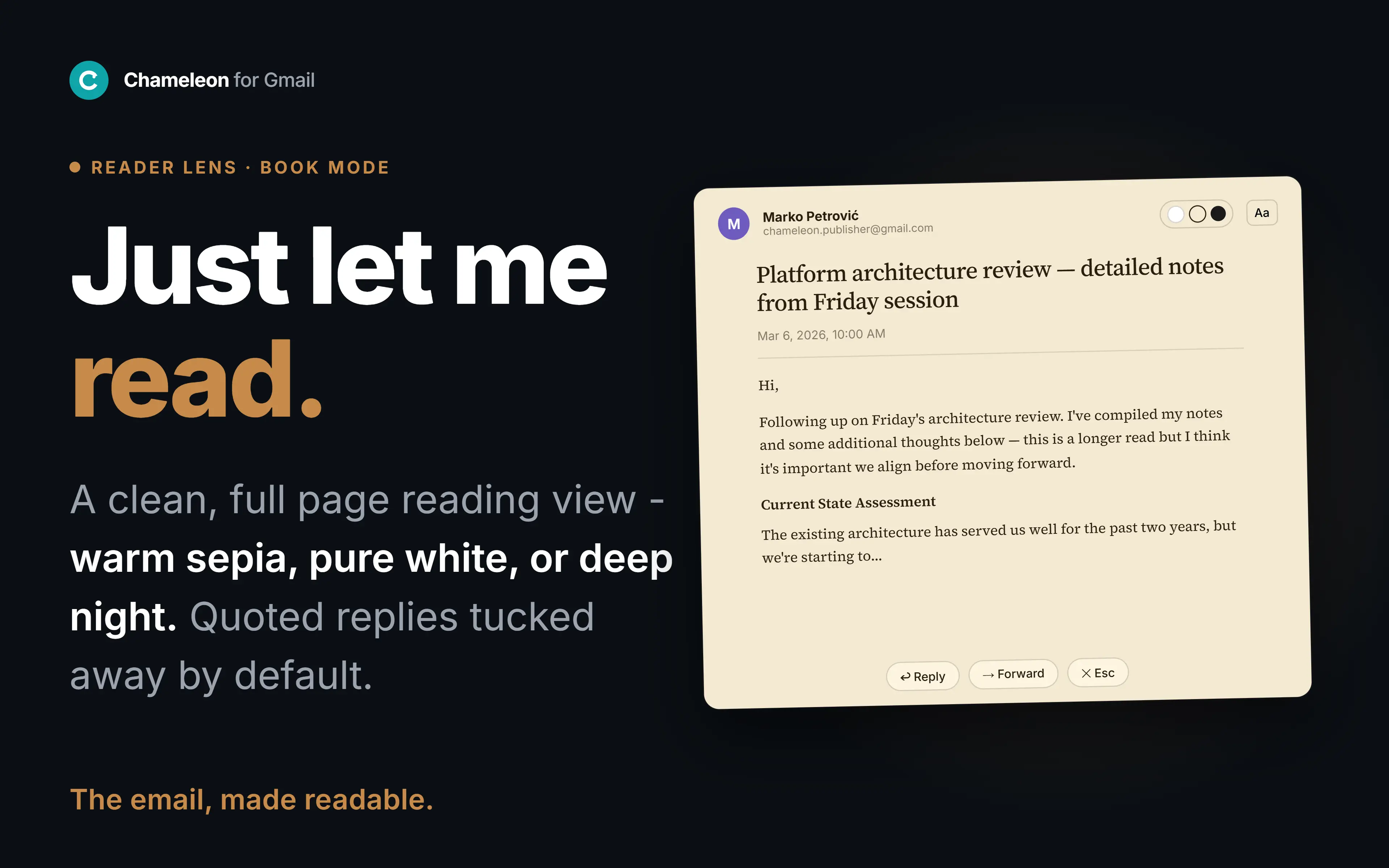
Opens any email in a clean, full-screen reading view with book-quality typography. The content is unchanged - just the noise removed. Press Esc to return.
Use when: You're reading a long email or thread and want zero distraction.
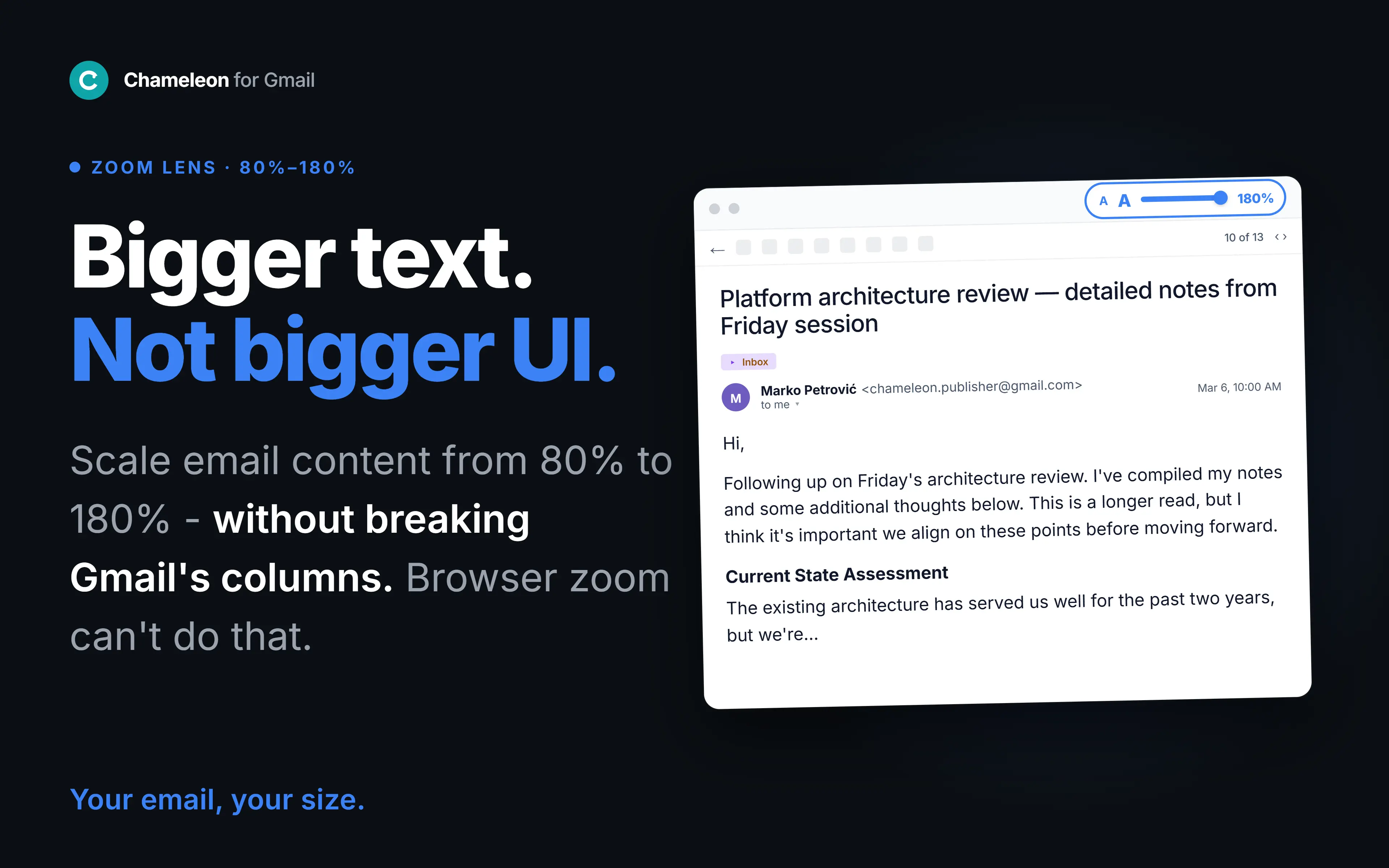
Scales email content for easier reading - message body, subject lines, sender names - without touching Gmail's interface. Unlike browser zoom, only the reading content gets bigger.
Use when: Your eyes need a break, you're on a smaller screen, or you read email for hours.
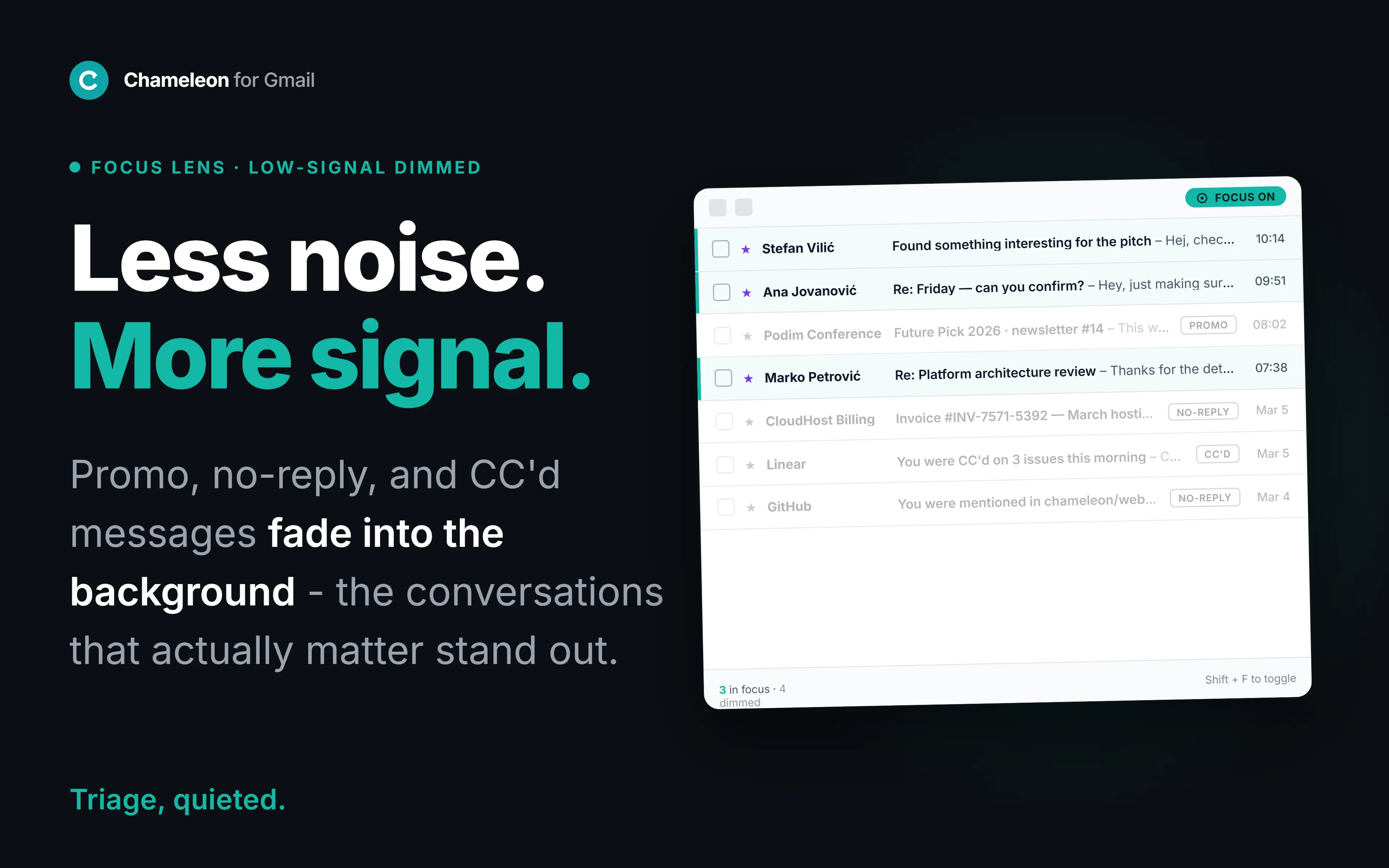
Dims low-signal rows - promotions, no-reply receipts, threads you're only CC'd on - so the mail that actually matters stands out. Nothing is deleted or hidden; just quieted.
Use when: You're scanning a busy inbox and need the signal to surface.
In your browser
Nothing is rewritten, summarized, or sent anywhere. Chameleon reads what Gmail already shows you.
Pick a viewing mode and your Gmail transforms on screen. It happens in your browser - no server, no data leaving your machine.
Every viewing mode is reversible. Turn it off and Gmail is exactly as it was.
Honest limits
Questions
Hardware privacy filters dim your display at an angle and cover one device. Chameleon does it in software: it scrambles the text of your Gmail so a glance shows gibberish, while you keep reading normally - reveal a single message when you need it.
No. Viewing modes only change how emails appear on your screen. The original is always preserved - nothing is rewritten, deleted, or modified.
Privacy scrambles your inbox text against shoulder-surfing. Reader opens an email in a clean, full-screen reading view. Font Size enlarges email text without breaking Gmail's layout. Focus dims low-signal rows so important mail stands out. Use any of them on their own.
No. Encryption protects messages during delivery. Viewing modes change how messages look after they have already arrived in your browser.
Chameleon uses two permissions: local storage for your settings, and access to mail.google.com so it can restyle the page. That is the complete list, and you can verify it on the Chrome Web Store listing before installing. There is no server, no account, and no analytics - nothing leaves your browser.
Always. Turn off any viewing mode and Gmail is exactly as it was.
Nothing is collected automatically. Everything runs in your browser, with no analytics and no tracking, and email content never leaves your machine. The only data we ever receive is what you explicitly submit: optional survey answers, feedback, or your email if you join the waitlist or ask for updates. Separately, our website's short links (like /go/oe) keep an anonymous visit count on our server - a timestamp only, with no cookies, no IP address, and no identifiers.
Gmail only for now. Outlook and other platforms are on the roadmap.
A privacy filter tells the room you have something to hide.
Free protects you. Pro makes the protection invisible.
Free is the protection. Pro is making it yours.
Everything in Free, plus:
$39 - one-time, lifetime.
Everything currently in Chameleon is free and stays free.
Free. No account. No tracking. Installs in 10 seconds.
Questions? [email protected]